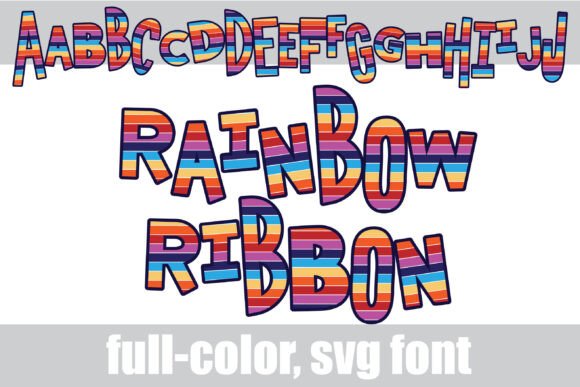
Rainbow Ribbons: A Vibrant Typography Solution
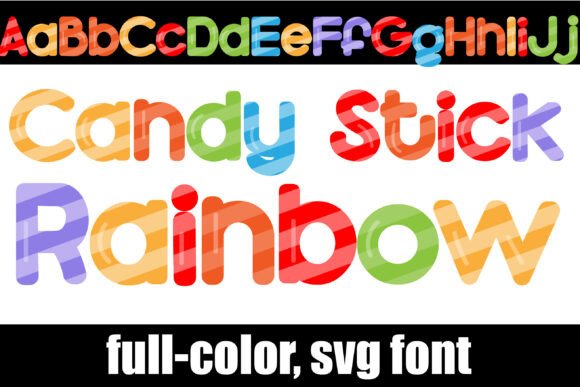
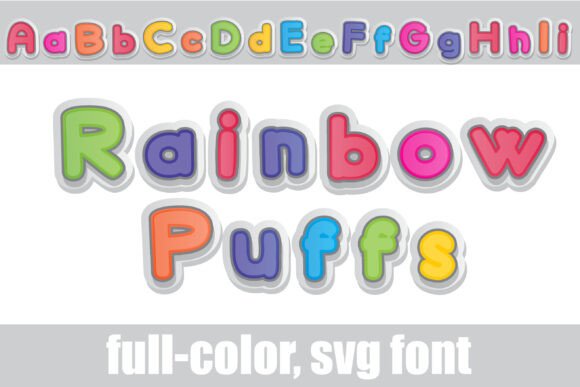
Imagine injecting instant joy and dynamic energy into your designs with a single font choice. Rainbow Ribbons is a full-color OpenType (SVG) font that delivers exactly that—a whimsical, bouncy sans serif adorned with vibrant rainbow stripes. This creative asset moves beyond static text, offering a playful yet professional typeface that immediately captures attention. For designers seeking to elevate their visual hierarchy and modern aesthetics, understanding how to leverage such a tool is key to standing out in a crowded digital landscape.
Understanding the Technical Edge of Color Fonts
Unlike traditional typefaces, Rainbow Ribbons is an SVG font, meaning the color data is embedded directly within the file. This allows for complex gradients and multi-colored designs without requiring additional layers or clipping masks in your design software. Installation is straightforward; you treat it like any standard .OTF file, installing via FontBook on Mac or your preferred font manager on Windows.
It is important to note a few technical nuances when working with full-color fonts:
- Compatibility: While supported by major players like Adobe Photoshop, Illustrator, Silhouette Studio, Quark, and Inkscape, not all software renders color fonts. In non-compatible programs, the text will appear as a standard black silhouette.
- Preview Windows: Even in compatible software, the font preview list often displays the font in black. You will only see the full rainbow palette once you type onto the actual document canvas.
- Alternate Styles: Rainbow Ribbons includes a "reverse rainbow" alt case. Accessing this through your system’s glyph map or Silhouette’s glyph tool allows you to flip the color direction for unique contrast and layout variations.
Practical Applications for Modern Design
The versatility of Rainbow Ribbons makes it a valuable asset across various creative projects. Because it is vector-based, it scales infinitely without losing quality, making it ideal for both digital marketing and print design. Here is how you can integrate this font into your workflow:
- Brand Identity & Logo Design: For brands targeting a youthful, energetic, or creative audience—such as toy stores, bakeries, or event planners—this font serves as a bold logomark that communicates fun and inclusivity.
- Social Media Graphics: In the fast-paced world of social media, stopping the scroll is essential. Use Rainbow Ribbons for headlines on Instagram stories, YouTube thumbnails, or Facebook ads to instantly grab user attention.
- Packaging Design: In retail environments, packaging must communicate quickly. This font adds a tactile, ribbon-like quality to product labels, making items feel festive and premium.
- Editorial & Web Design: Break up long blocks of text in editorial layouts or web design by using this font for pull quotes or section headers. It adds a splash of color that guides the reader's eye through the content.
Integrating Rainbow Ribbons into Your Design Strategy
While the font is visually striking, effective graphic design relies on context. To maintain a professional presentation, consider the surrounding visual elements. Because Rainbow Ribbons is high-impact, it pairs best with clean, neutral backgrounds and simple sans-serif body text to avoid visual clutter.
When selecting this font for a project, evaluate your color palette. Ensure the rainbow tones complement the broader brand identity rather than clashing with existing brand colors. Furthermore, consider readability; while excellent for display text and logos, this whimsical style is best reserved for headlines rather than long-form body copy.
Ultimately, tools like Rainbow Ribbons empower designers to push boundaries and explore modern aesthetics. By thoughtfully applying this asset to your branding, marketing materials, or UI design, you can transform standard text into a memorable visual experience that resonates with your audience and enhances your overall design workflow.